
Browser-First Access on Any Device
Smash Casino UK is designed as a browser-first platform, and no dedicated APK file is distributed for Android, nor is a native application listed on the Apple App Store. This approach preserves full platform functionality across every supported mobile browser without permanent device installations. The mobile browser version is functionally identical to the Progressive Web App experience, with the sole exception that PWA installation adds a home-screen icon and slightly faster launch performance. All supported browsers including Safari, Chrome, Firefox mobile and Samsung Internet render the platform correctly.
PWA Installation on iOS and Android
Installing Smash Casino UK as a Progressive Web App creates a dedicated home-screen icon that launches the platform in full-screen mode without visible browser controls, effectively producing a native-app experience without the security risks associated with unofficial APK downloads. The installation process differs slightly between iOS and Android devices, and the platform-specific instructions below apply to any iPhone, iPad or Android smartphone or tablet meeting the minimum operating system requirements.
iOS Installation via Safari
On iOS devices, Progressive Web App installation is possible exclusively through Safari — Chrome, Firefox and other iOS browsers do not currently support the Add to Home Screen mechanism required for PWA creation. Users of alternative browsers must switch to Safari to complete installation on any iPhone or iPad running iOS 15 or later.
- Open smash-casinoo.co.uk in the Safari browser on the iOS device
- Tap the Share icon located at the bottom centre of the Safari toolbar
- Scroll through the options and select Add to Home Screen from the menu
- Confirm the shortcut name (default: Smash Casino) and tap Add in the top corner
- Launch the newly created shortcut from the home screen to open in full-screen mode
Android Installation via Chrome or Samsung Internet
On Android devices, PWA installation works through Chrome, Samsung Internet and several other Chromium-based browsers. The process typically triggers an automatic install prompt when the platform is opened, and manual installation is also available through the browser menu on any Android device running version 10 or later.
- Open smash-casinoo.co.uk in Chrome or Samsung Internet on the Android device
- Tap the three-dot menu icon located in the top-right corner of the browser
- Select Install app or Add to Home screen from the dropdown menu
- Confirm the installation through the on-screen prompt that appears
- Launch Smash Casino from the home screen icon or the device app drawer
Native Applications and APK Availability
Smash Casino UK does not distribute a native application through the Apple App Store or Google Play, and no legitimate APK file exists for direct download from any source. Both stores apply restrictive policies to real-money gambling apps from operators without a direct UK Gambling Commission licence, placing Smash Casino outside their whitelisted category for the UK market. Any file offered on third-party websites as a Smash Casino APK is unauthorised and may contain malware. The Progressive Web App installation described above is the exclusive official mobile distribution method.
Feature Parity Between Mobile and Desktop
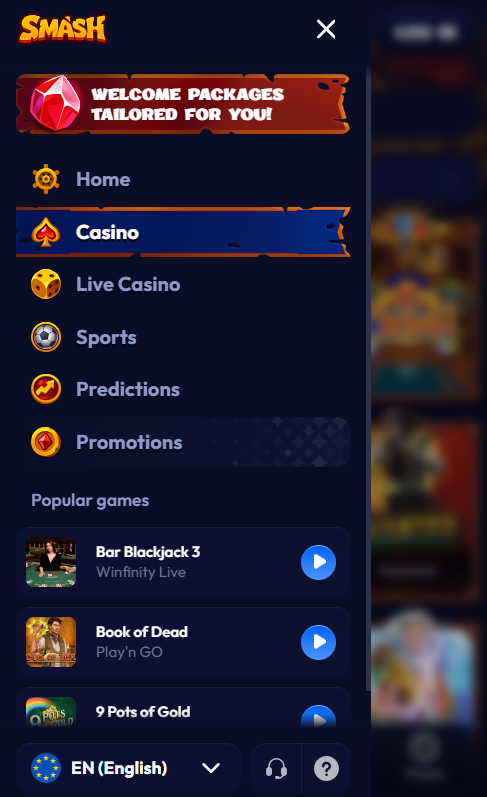
Every function available on the Smash Casino desktop platform is accessible from the mobile browser and PWA installation without stripped-down features. The full library of 4,500+ slots, live tables, sportsbook markets and cashier operations work identically across device categories.
Features Available on Smash Casino Mobile
- Full 4,500+ game library including slots, live casino, table games and crash titles
- Complete sportsbook with pre-match and in-play markets across 20+ sports
- Cashier for every supported deposit and withdrawal method including cryptocurrency
- Live chat customer support accessible from every page across the platform
- Responsible gambling tools including deposit limits, session timers and self-exclusion
- Bonus opt-in and wagering progress tracking through the Smash Casino bonus dashboard
- Two-factor authentication management directly from mobile account settings
- Account registration and KYC document upload available through the Smash Casino registration workflow
| CRITERION | SMASH | CASINACHO ★ |
|---|---|---|
| Game catalogue | 4,500+ titles | 7,500+ titles |
| Live casino | Live dealer tables | 400+ Evolution tables |
| Welcome offer | 600% up to £10,000 + 100 FS | £3,000 + 200 spins |
| Bonus wagering | Standard terms | Lighter requirements |
| Crypto payouts | Cards & crypto | Fast crypto payouts |
| Sports betting | Full sportsbook | Casino-focused |
Device Requirements and Browser Compatibility
System requirements for the Smash Casino Progressive Web App are minimal, and any modern smartphone or tablet released within the past four years comfortably exceeds the specifications needed for smooth gameplay. Live dealer streams benefit from a stable 4G or Wi-Fi connection for consistent HD quality, while slot titles run reliably on 3G connections where available.
Minimum Device Requirements for Smash Casino
| Requirement | Minimum specification |
|---|---|
| iOS version | 15 or later (Safari required for PWA installation) |
| Android version | 10 or later (Chrome or Samsung Internet) |
| Device storage | Under 5 MB for PWA installation |
| Connection speed | 4G or Wi-Fi recommended for live dealer streams |
| Device RAM | 2 GB minimum |
| Screen size | 4.7 inches or larger recommended |
Solving Common Mobile Access Issues
The Smash Casino mobile platform runs reliably across modern devices, but occasional issues can arise from browser cache buildup, network conditions or outdated operating systems. The following common issues have simple fixes that resolve most reports without support intervention.
- PWA will not install — clear browser cache and ensure Safari on iOS or Chrome on Android is updated to the latest available version through the App Store or Google Play
- Games not loading correctly — switch from mobile data to Wi-Fi, disable any content blockers or VPN services, and refresh the page
- Live dealer stream lagging — reduce stream quality in the game settings menu, or switch to a stronger Wi-Fi connection for HD viewing
- Push notifications not arriving — check that browser and PWA notification permissions are enabled in device settings under the Smash Casino entry